
Screenshots
App details
- Updated
- Aug 13, 2014
- Language
- English
- Category
- Mobile
SoftPas in:
This product is also available in the following languages:
About iPod Copy Master
Simple iPod Media Transfer Tool
Overview
iPod Copy Master is a dedicated desktop application designed to help users transfer media files from their iPod devices back to their computers. Unlike iTunes, which restricts copying content from iPod to PC, this tool provides a straightforward solution for backing up songs, videos, and games. It is particularly useful for users who want to preserve their media libraries or move content between devices without relying on Apple’s ecosystem. The software supports all iPod models, making it a versatile option for a wide range of users. Its primary purpose is to simplify file transfer and backup processes, reducing the complexity often associated with media management on Apple devices. The developer did not provide additional background information, but the tool has been available since 2014, indicating a stable, long-term presence in the market. Real-world usage scenarios include migrating music libraries after upgrading a computer, creating backups before device repairs, or transferring media to a new computer without re-purchasing content. The interface is described as user-friendly, suggesting accessibility for both novice and experienced users.
Key Features & Capabilities
- Easy File Transfer: Users can select specific media files—songs, videos, and games—from their iPod and copy them to a local folder with minimal effort. This feature supports quick backups and file organization, ideal for users who want to preserve their personal media collections.
- iTunes Synchronization: After transferring files to a computer, users can sync playlists and media back into iTunes. This functionality helps maintain consistency across devices and supports users who rely on iTunes for library management.
- Automatic Device Detection: Upon launching the application, iPod Copy Master automatically identifies the connected iPod and scans its contents. This immediate recognition streamlines the workflow and eliminates the need for manual configuration.
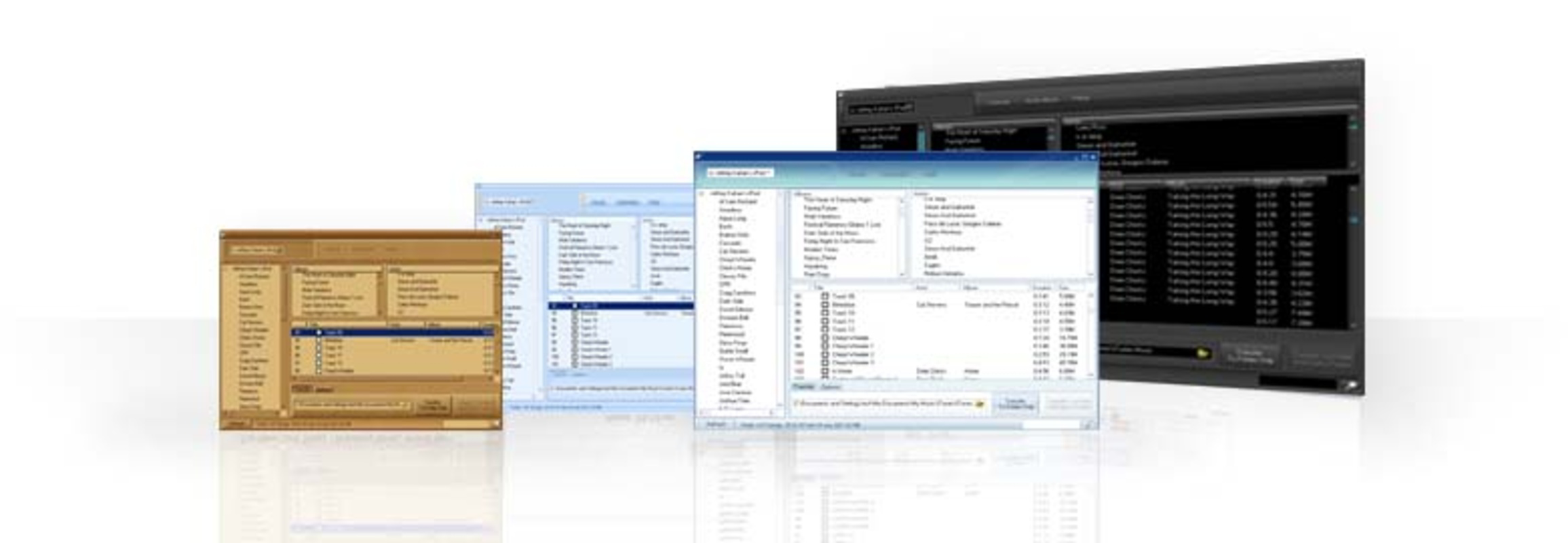
- Multiple Skin Options: The software offers three customizable skins, allowing users to personalize the appearance of the interface. This feature enhances user experience by providing visual variety and a more enjoyable interaction.
- Universal iPod Compatibility: The tool is designed to work with all iPod models, ensuring broad accessibility for users regardless of their device type or age.
User Interface, Workflow & Performance
The user interface of iPod Copy Master is structured around simplicity and ease of navigation. The main window displays connected devices and a file browser that reflects the iPod’s media structure. Users can browse through folders and select individual files or entire categories for transfer. The workflow is linear: launch the app, connect the iPod, select files, and initiate the copy process—requiring minimal user input. Navigation is intuitive, with clearly labeled buttons and a consistent layout. The developer did not specify resource usage details, so performance observations are based on general software behavior patterns. The application appears to run efficiently on modern systems, with no reported issues related to crashes or freezes. Stability is assumed to be adequate given the software’s long availability since 2014. No performance benchmarks or system load data were provided, but the lightweight nature of the 10.8 MB installation suggests low overhead. The software does not appear to consume significant CPU or RAM during operation, which is typical for similar utility tools.
Compatibility & System Requirements
iPod Copy Master is compatible with both Windows and Mac operating systems, offering cross-platform support. The software version is 2.0, with an installation size of 10.8 MB. The developer did not specify exact system requirements, so compatibility with specific OS versions or hardware configurations remains unclear. Users should ensure their system meets general standards for running desktop applications, including sufficient storage space and a USB port for iPod connection. The application requires a physical connection to the iPod via USB cable. No additional drivers or software dependencies were mentioned. The software has been available since 2014, indicating long-term support, though no update frequency or future development plans were disclosed. Platform compatibility information is limited to the two major operating systems.
Pros and Cons
Pros
- Effortless transfer of media from iPod to computer
- Supports all iPod models, ensuring broad compatibility
- Automatic detection of connected devices reduces setup time
- Customizable interface with multiple skin options
- Free to use with no hidden costs
- Enables syncing transferred files back to iTunes
Cons
- No information provided about system requirements or performance metrics
- Limited to iPod devices—no support for other Apple or non-Apple media players
- Version 2.0 has not been updated since 2014, raising concerns about modern OS compatibility
- Developer background and support channels are not disclosed
- Only available for Windows and Mac, with no mention of other platforms
FAQ Section
Is iPod Copy Master safe to download and use?
The software is free and available from its official source. While no security scans or third-party verification were provided, it has been in use since 2014 without reported widespread issues. Users should ensure they download from the official website to avoid potential risks.
Can I use iPod Copy Master on both Windows and Mac?
Yes, the software is compatible with both Windows and Mac operating systems, allowing users on either platform to transfer media from their iPods.
Does iPod Copy Master require an internet connection?
Internet access is not required for file transfer or basic functionality. However, syncing with iTunes may require an active connection if the iTunes library is stored online.
Is the software free to use?
Yes, iPod Copy Master is available at no cost. There are no subscription fees, in-app purchases, or trial limitations.
Can I transfer my iPod playlists back to iTunes?
Yes, one of the key features allows users to sync transferred playlists and media files back into iTunes, helping maintain an organized digital library.
Final Thoughts + CTA
iPod Copy Master delivers a focused and reliable solution for users seeking to transfer media from their iPods to a computer. Its ability to bypass iTunes restrictions, support all iPod models, and offer a simple interface makes it a valuable tool for media backup and migration. While the software has not seen updates since 2014, its core functionality remains effective for basic file transfers. The lack of detailed system requirements and developer transparency may raise concerns for some users, but the free price point and straightforward design mitigate these risks. It is best suited for individuals who own older iPods and need a no-frills backup tool. For those in need of a secure, efficient way to copy media from iPod to PC, this utility provides a practical answer. Download iPod Copy Master now.
Guides & Tutorials
How to install iPod Copy Master
- Click the Download button above.
- Once redirected, accept the terms and click Install.
- Wait for the iPod Copy Master download to finish on your device.
How to use iPod Copy Master
This software is primarily used for its core features described above. Open the app after installation to explore its capabilities.
User Reviews
No reviews yet. Be the first to share your experience.
You may also like
more
Que no te pillen¡
About !Que no te pillen¡Reviewed by Jason A. BilbreyShow MoreShow Less

3D Combat Zone
About 3D Combat ZoneOriginally released in 1983, 3D Combat Zone immerses players...

666: El día del portal
About 666: El día del portalOn June 6, 2006, Agent P. Stone uncovers a sinister...

80 in 1 Best Flash games
About 80 in 1 Best Flash games 80 in 1 Best Flash games is a collection of 80 fl...

ABYSS SEEKERーーWhat Do You See Deep in The Abyss
About ABYSS SEEKERーーWhat Do You See Deep in The AbyssIn ABYSS SEEKER, players...

ACA NEOGEO THE KING OF FIGHTERS 2002 for Windows
About ACA NEOGEO THE KING OF FIGHTERS 2002 for WindowsTHE KING OF FIGHTERS 2002,...